October 10 recheck: a byte target can conflict with fixed dimensions
We ran the actual image compressor on the existing synthetic 800 × 600 WebP (35,018 bytes) with a deliberately tight 1,024-byte target. The reference run used Node 24.19.0 and @napi-rs/canvas 1.0.7, not a browser encoder.
| Image mode | Output bytes | Output dimensions | Target met |
|---|---|---|---|
| Keep original pixel dimensions | 4,190 | 800 × 600 | No; reported above target |
| Allow automatic resizing | 1,016 | 180 × 135 | Yes; dimensions changed |
The smaller result is not interchangeable with an 800 × 600 deliverable. Lock dimensions when the destination requires them, and accept a larger byte budget if necessary. Try the dimension-locked browser example to measure your own browser.
In the same reference recheck, the PDF function produced 27,153 bytes below a 30,720-byte target and preserved one 595 × 842-point page. Native FFmpeg 7.1.5 produced a 183,976-byte, three-second 1280 × 720 H.264 video and a 23,920-byte, three-second AAC audio file. Their targets were 204,800 and 24,576 bytes. Small differences from the September records are expected across encoder versions; the earlier records remain labeled by date.
Actual Tesseract.js 7 recognition in Node again matched the ten English lines in the three existing synthetic OCR images. That does not establish translation accuracy or difficult-photo performance. Read the recheck settings and measurements. Live-browser interaction and physical-device performance are not established by these adapter tests.
PDF, video and audio size targets
Download a source or run it here using the same compressor as the homepage. The table reports the bytes from your run; no output size is assumed in advance. One KB here means 1,024 bytes.
| File | Input bytes | Target bytes | Output bytes |
|---|---|---|---|
| PDF output | 52,225 | 30,720 | 27,136 |
| VIDEO output | 2,334,407 | 204,800 | 183,848 |
| AUDIO output | 288,078 | 24,576 | 23,921 |
Reference method: the PDF uses the actual PDF processor with a Node canvas adapter; video and audio use native FFmpeg with the same encoding arguments and bitrate search as the browser processor. Browser encoders can return different sizes. See method and measurements.
One-page invoice → 30 KB
A fictional Docuivo invoice with embedded fonts. Compression renders pages as images: selectable text, links, forms and digital signatures are not preserved. Check all numbers and text at full size.
Three-second video → 200 KB
A silent 1280 × 720 moving test chart. The actual browser encoder aims below 204,800 bytes. Play the output and inspect moving edges; duration and dimensions should remain unchanged.
Three-second test tone → 24 KB
A synthetic 440 Hz test tone, not speech or music. The WAV is encoded to AAC in an M4A file. Start playback at low volume and check the full three-second duration.
A target that should be rejected
For this three-second video, a 1 KB target is below the processor's minimum. The expected result is an explanation asking for a larger limit, with no pretend successful output.
Video and audio processing loads the browser encoder on the first run. Keep this page open. A small target can reduce quality, still produce an oversized file, or be rejected; a completed run does not guarantee that the result suits your destination.
Three image-translation examples
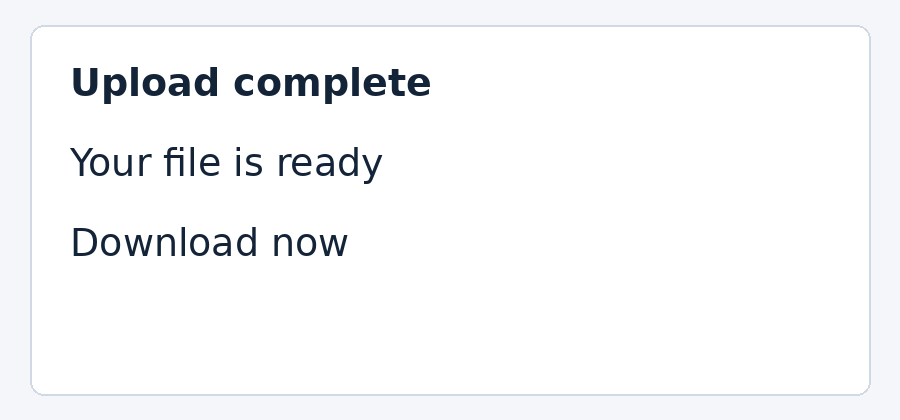
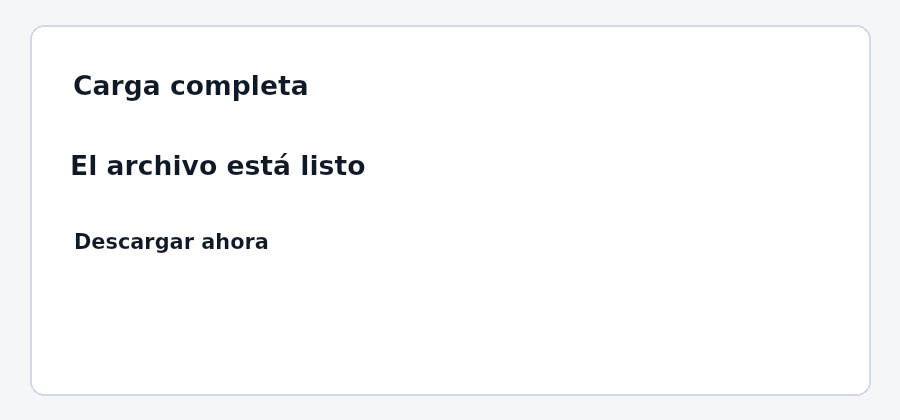
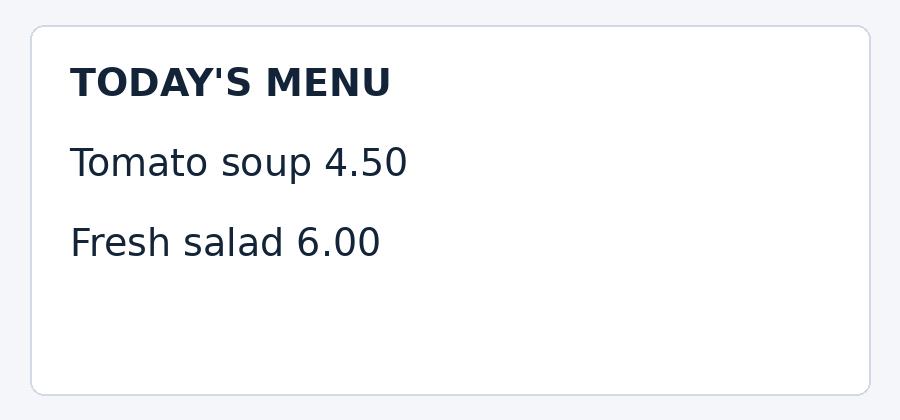
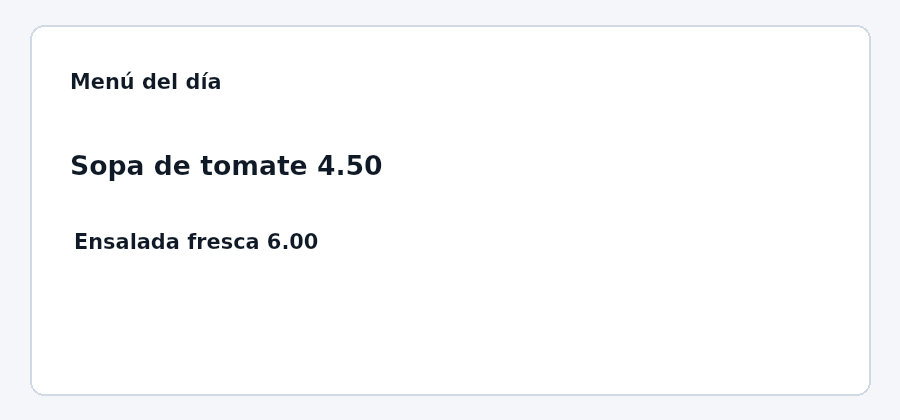
English to Spanish, checked September 9, 2026. These original synthetic images contain no personal information. OCR matched all ten source lines, including the two prices, capacity and batch code.
The reference run used Tesseract.js 7 in Node and the live Fitabyte translation API. The PNGs use the same text-placement function as this tool, rendered with a server canvas adapter. They are reference outputs; browser fonts and provider responses can differ. View measurements and method.
Screenshot-style notice
| OCR source | Translation returned |
|---|---|
| Upload complete | Carga completa |
| Your file is ready | El archivo está listo |
| Download now | Descargar ahora |
OCR matched all three source lines. Translation used complete Spanish phrases; compare the different text lengths in the same boxes.
Download source PNG · Download translated reference · Load this image in the translator
Fictional menu
| OCR source | Translation returned |
|---|---|
| TODAY'S MENU | Menú del día |
| Tomato soup 4.50 | Sopa de tomate 4.50 |
| Fresh salad 6.00 | Ensalada fresca 6.00 |
OCR preserved both prices; the translation kept 4.50 and 6.00. The title became “Menú del día”.
Download source PNG · Download translated reference · Load this image in the translator
Fictional storage label
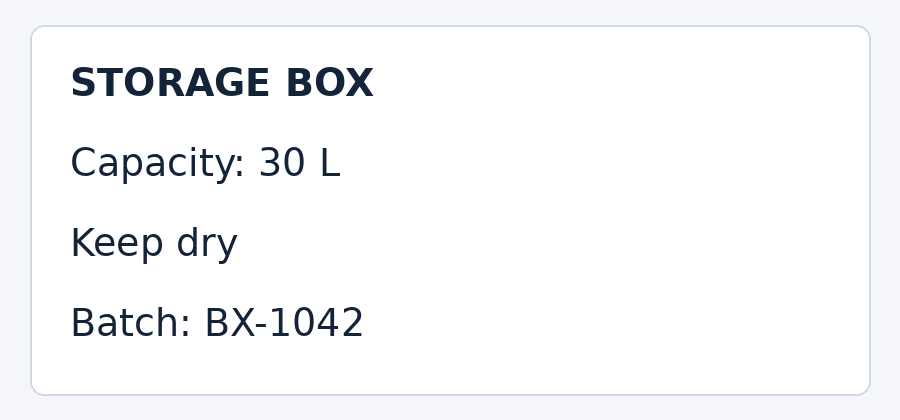
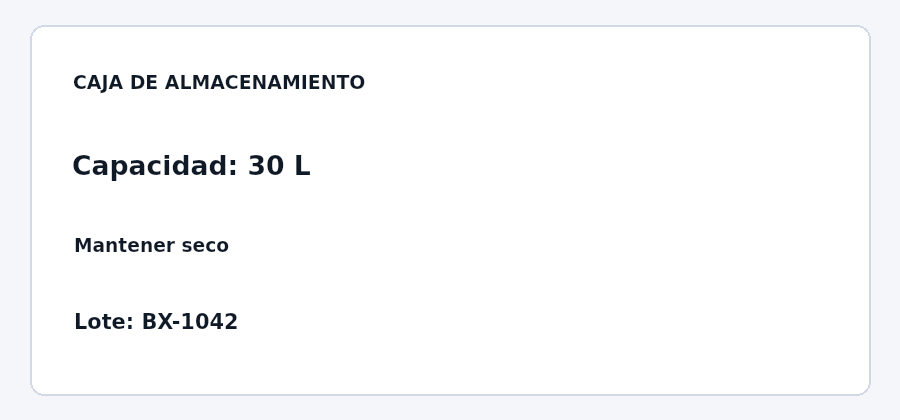
| OCR source | Translation returned |
|---|---|
| STORAGE BOX | CAJA DE ALMACENAMIENTO |
| Capacity: 30 L | Capacidad: 30 L |
| Keep dry | Mantener seco |
| Batch: BX-1042 | Lote: BX-1042 |
OCR preserved the capacity, unit and batch code. The longer Spanish title uses smaller lettering inside the original title box.
Download source PNG · Download translated reference · Load this image in the translator
What these examples reveal
Translation length affects readability even when OCR is correct. The storage-label heading expands to “CAJA DE ALMACENAMIENTO”, so it is reduced to fit the original box. The tool paints a white area over recognized text; it does not reconstruct the background underneath. Review both the text table and the image before downloading.
These clean printed samples do not test glare, curved packaging, handwriting or every language pair. Six source OCR languages and fourteen target languages are available in the selectors; only English to Spanish was checked in this record.
What this test is designed to show
Two images can have identical pixel dimensions and radically different storage requirements. Flat graphics repeat the same colors and edges; screenshot-style interfaces repeat structured shapes; photo-like scenes contain gradients, noise, and irregular detail. The encoder has a much harder job with the last category.
For this first Fitabyte Lab reference set, we generated three synthetic 1600 × 1200 RGB images with no personal data using Python 3.13.5 and Pillow 12.3.0. We encoded each source as optimized PNG and at JPEG/WebP quality settings 85, 70, and 50, then recorded the resulting byte counts. The generation is deterministic so the same source can be recreated for future tests. These measurements describe that reference encoder—not Fitabyte’s browser encoder byte-for-byte.
Reference scenes
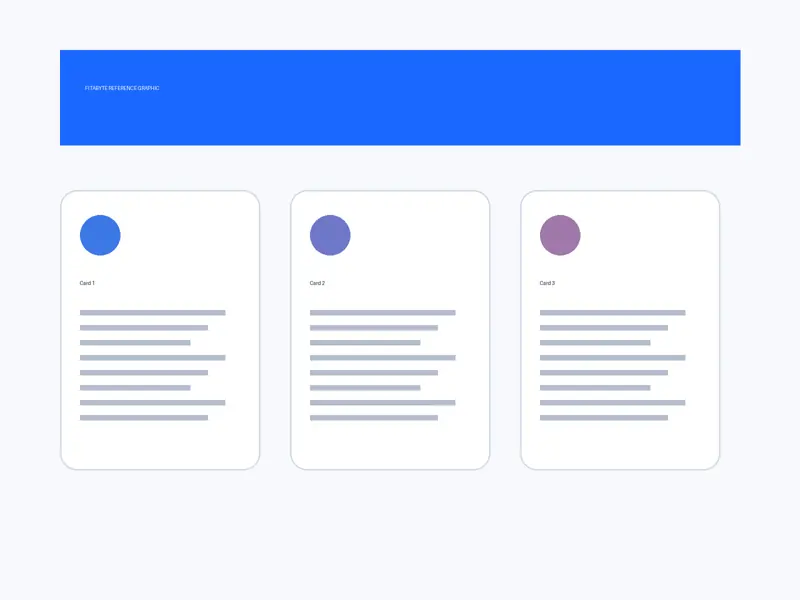
Flat graphic
Large flat colors, simple cards, thin lines, and sparse text-like shapes.
1600 × 1200 source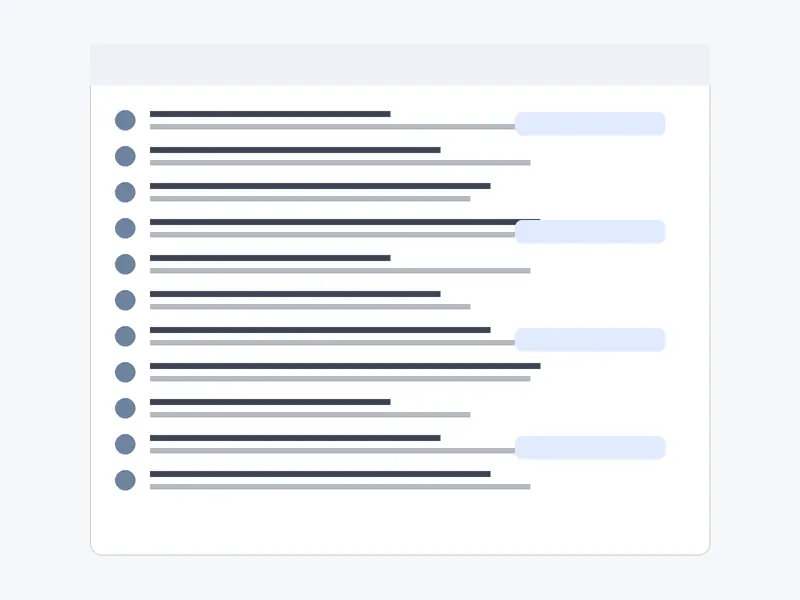
Screenshot-style UI
White panels, interface rows, icons, lines, and repeated high-contrast edges.
1600 × 1200 source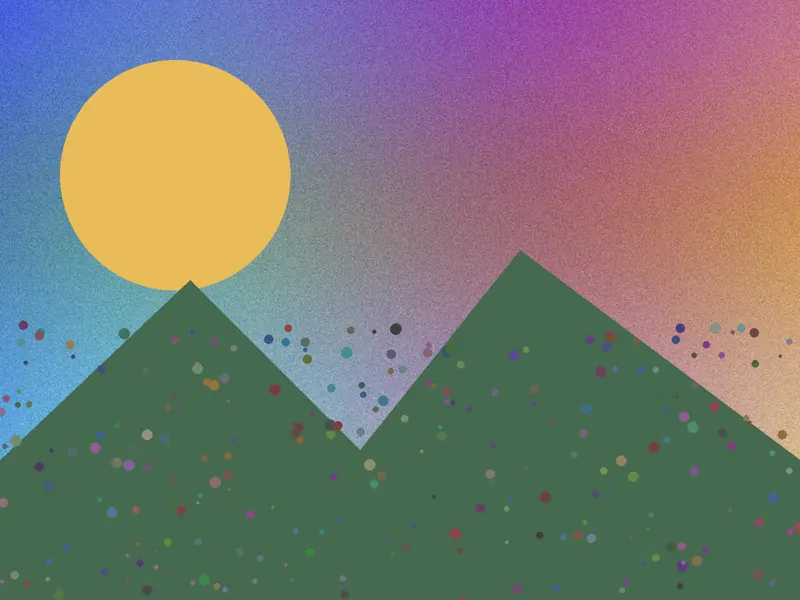
Photo-like scene
Gradients, deterministic noise, foliage-like texture, and irregular natural-style detail.
1600 × 1200 sourceMeasured file sizes
The table reports the actual encoded file size for this controlled test set. Quality numbers are encoder settings, not percentages of the original image quality.
| Scene | Format | Quality | File size |
|---|---|---|---|
| Flat graphic | PNG | Lossless | 12.3 KB |
| Flat graphic | JPEG | 85 | 50.3 KB |
| Flat graphic | JPEG | 70 | 41.5 KB |
| Flat graphic | JPEG | 50 | 35.3 KB |
| Flat graphic | WebP | 85 | 12.7 KB |
| Flat graphic | WebP | 70 | 10.3 KB |
| Flat graphic | WebP | 50 | 9.8 KB |
| Screenshot-style UI | PNG | Lossless | 11.4 KB |
| Screenshot-style UI | JPEG | 85 | 60.3 KB |
| Screenshot-style UI | JPEG | 70 | 50.0 KB |
| Screenshot-style UI | JPEG | 50 | 42.3 KB |
| Screenshot-style UI | WebP | 85 | 12.0 KB |
| Screenshot-style UI | WebP | 70 | 10.2 KB |
| Screenshot-style UI | WebP | 50 | 9.5 KB |
| Photo-like scene | PNG | Lossless | 2.17 MB |
| Photo-like scene | JPEG | 85 | 408.6 KB |
| Photo-like scene | JPEG | 70 | 267.4 KB |
| Photo-like scene | JPEG | 50 | 169.3 KB |
| Photo-like scene | WebP | 85 | 353.4 KB |
| Photo-like scene | WebP | 70 | 240.5 KB |
| Photo-like scene | WebP | 50 | 196.7 KB |
What the numbers mean
PNG can dominate on simple graphics
The flat and screenshot-style references compress extremely well losslessly because large areas and repeated edges are predictable.
Photo-like detail is expensive
The photo-like reference was about 2.17 MB as optimized PNG, but hundreds of kilobytes as lossy JPEG or WebP. Texture changes the problem completely.
One quality number cannot predict KB
JPEG quality 70 produced very different file sizes across the three scenes, despite identical dimensions.
Format choice depends on content
PNG is not automatically larger and WebP is not automatically smaller in every case. Content and encoder settings decide the outcome.
Limitations and reproducibility
These are synthetic reference images, not a representative sample of every photograph or screenshot. The reference data was produced with Pillow rather than the browser encoder used by Fitabyte Compress. Different encoders can map quality values differently. Browser engines, operating systems, color profiles, metadata, transparency, and source content can all change the result. That is why Fitabyte treats the measurements as explanatory evidence rather than a universal benchmark.
Read How Fitabyte Tests Its Tools for our testing principles, or compare the formats in WebP vs JPG vs PNG. If you have a real size limit, use Fitabyte Compress and inspect the resulting file rather than assuming a preset will fit.