Fitabyte recognizes text inside a photo, translates it line by line, and creates a downloadable translated image.
Text recognition 14 target languages Translated PNG export
Add an image with text
Fitabyte reads the words, translates each line, and places the translation back on the image.
JPG · PNG · WebP · HEIC/HEIF · AVIF · screenshots
Source → OCR → translation
Three image-translation examples
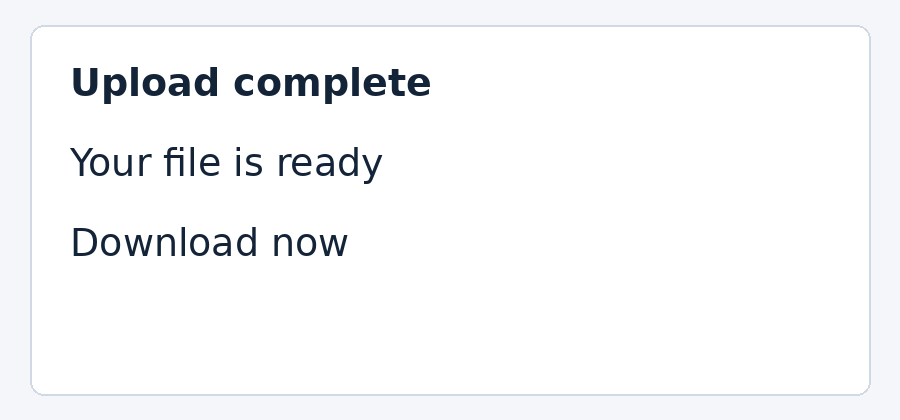
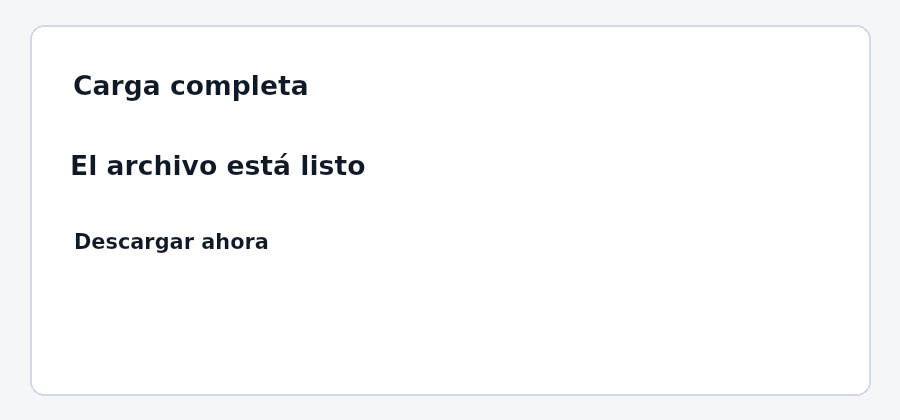
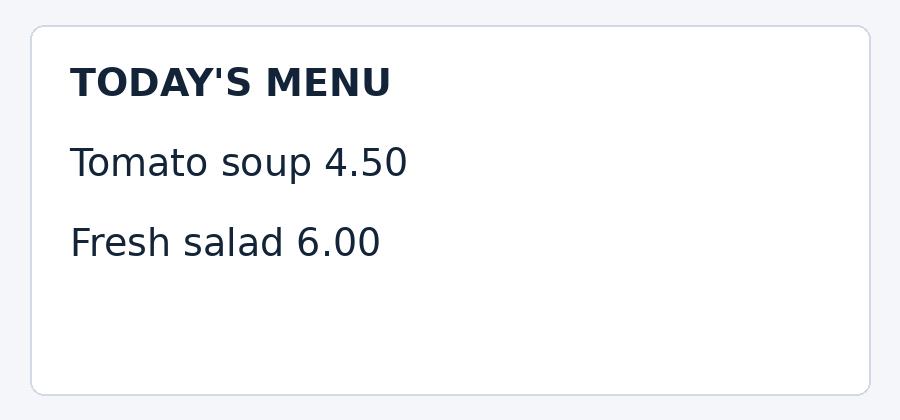
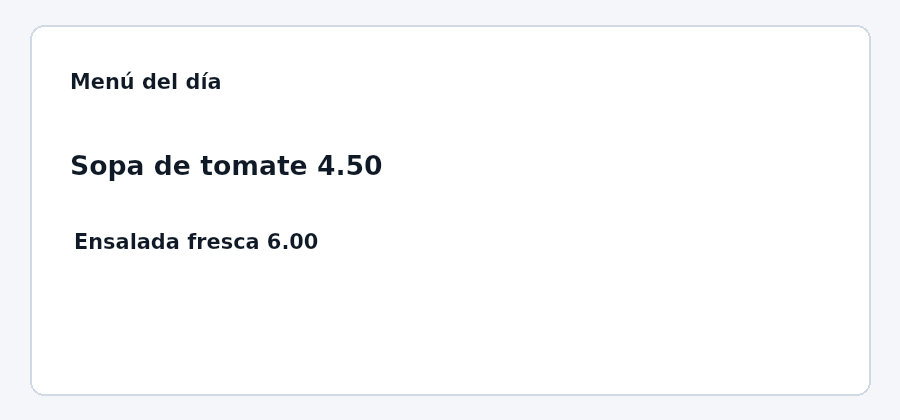
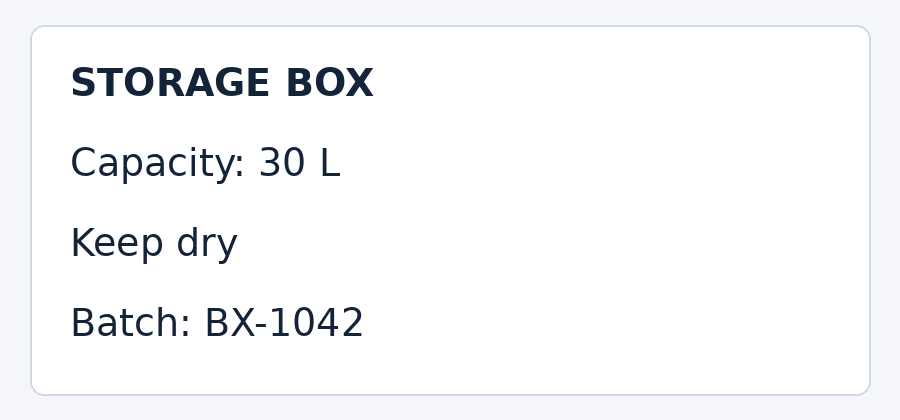
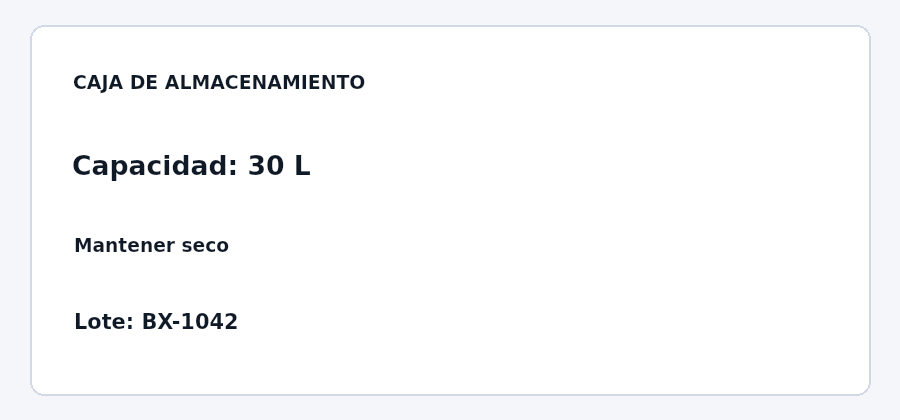
English to Spanish, checked September 9, 2026. These original synthetic images contain no personal information. OCR matched all ten source lines, including the two prices, capacity and batch code.
The reference run used Tesseract.js 7 in Node and the live Fitabyte translation API. The PNGs use the same text-placement function as this tool, rendered with a server canvas adapter. They are reference outputs; browser fonts and provider responses can differ. View measurements and method.
Translation length affects readability even when OCR is correct. The storage-label heading expands to “CAJA DE ALMACENAMIENTO”, so it is reduced to fit the original box. The tool paints a white area over recognized text; it does not reconstruct the background underneath. Review both the text table and the image before downloading.
These clean printed samples do not test glare, curved packaging, handwriting or every language pair. Six source OCR languages and fourteen target languages are available in the selectors; only English to Spanish was checked in this record.
Simple by design
From upload to finished file.
01
Add an image
Use a screenshot, sign, menu, label, or other image with clear text.
02
Select languages
Tell Fitabyte the source and the language you want to receive.
03
Download the translation
Review the replaced text and save the translated image as PNG.
Helpful details
Turn text inside an image into a language you understand.
Image Translator combines browser-based OCR with text translation. It recognizes clear text in a photo or screenshot, translates each detected line, and places the translated wording back over the image for PNG export.
The image itself stays on your device. To provide the translation, recognized text—not the image—is sent through Fitabyte to the translation provider.
Common uses
Understand everyday images without retyping the text.
Signs and menus
Translate clear photographed text while keeping visual context around each line.
Screenshots
Read app messages, instructions, posts, or notices captured in another language.
Labels and listings
Translate packaging, product labels, and marketplace images into a supported language.
Questions answered
Frequently asked questions
Is my image uploaded for translation?
No. OCR and image editing happen in your browser. Recognized text is sent to the translation provider, but the image itself is not.
How accurate is image translation?
Results depend on image sharpness, contrast, font style, and language. Review important names, prices, safety information, and legal text before relying on the result.
Does it work with handwriting?
It is designed for clear printed text. Handwriting, curved text, decorative fonts, glare, and low-resolution images may reduce OCR accuracy.
Which languages are supported?
OCR supports six source languages, and translated output supports 14 target languages listed above.